4 First run
The first time you launch IGOOR, or after a restart when you’ve activated a new extension, the software performs operations such as downloads, database creation, etc.
In particular, the first time you launch IGOOR the software needs to download the AI models required for your knowledge base. Depending on the speed of your Internet connection, this initial pass can be longer or shorter.
A progress bar will appear right next to the settings button:
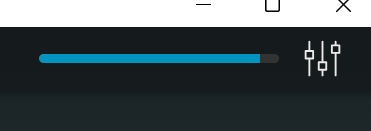
Clicking on the bar opens a popup showing the names of extensions that are not ready for use. Find the extension configurations on the settings home page or in Extensions.
Also, if you enable some extensions (e.g., Elevenlabs or Speechify) and never configure them with a working API key, the bar will never reach 100%.
This indicator does not prevent using IGOOR, but usually means not all features will be available.