Virtual Keyboard
Touch Keyboard
If you are not using IGOOR with an eye-tracking device (which works with its own virtual keyboard, e.g., Tobii's TD Control), nor a physical keyboard, the Windows touch keyboard TabTip.exe should appear on screen when you click on IGOOR's text fields.
If for some reason your touch keyboard does not appear, first check the Windows settings.
If you cannot get it to trigger, an extension allows you to force the virtual keyboard to appear on the automatic free input field.
Forced Activation of the Virtual Keyboard
Go to:
Settings > Plugins > UI
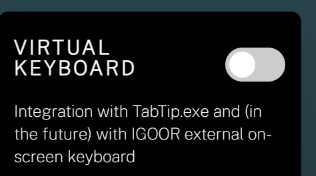
And click the toggle switch on Virtual Keyboard to enable it:
Restart IGOOR.
Usage
The legacy Windows virtual keyboard (OSK) will appear when you click in the "say something..." input field:
See also 4 - Autocomplete