Weather
This extension adds contextual weather information (temperature, wind, etc.) to the context—the set of information sent to the AI to generate predictions (see 1 - Four Communication Aid Tools).
WARNING: To function, the service requires retrieving your current location every 10 minutes based on your Internet connection's IP address. The accuracy of the location may vary.
Extension Activation
Go to Settings > Extensions > Context > Weather:
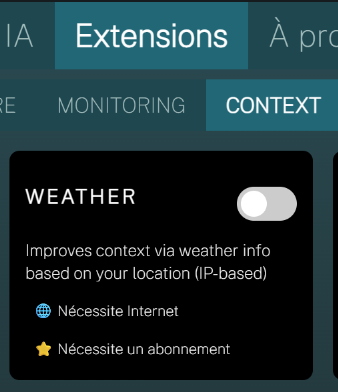
Enable the toggle.
✅ IMPORTANT: You must restart IGOOR when activating (or deactivating) extensions.
Extension Configuration
Go to Settings > Extensions > Context > Weather:
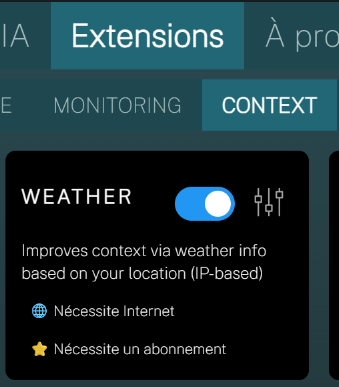
Click the extension's settings icon. The extension uses a free service from OpenWeatherMap.
- Register and retrieve your API key here:
Get a free OpenWeatherMap API key
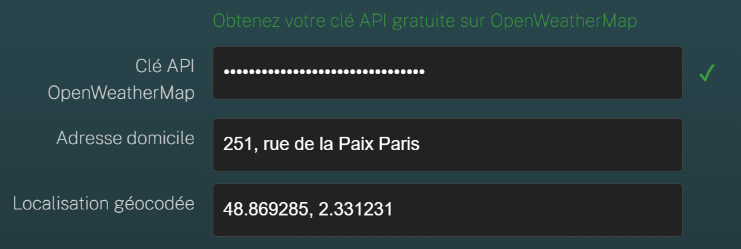
- You can enter your exact home address. This address is never shared externally; it's used internally by IGOOR to compare against the automatically updated location, to determine if the user is at home. What is sent to OpenWeatherMap is the geocoded latitude / longitude.
Save your changes.
Verification
Once activated, you'll see the weather temperature in the top bar:
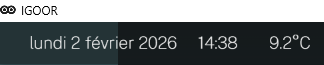
From this moment, weather information will be added to all text predictions.