3 Using a cloud voice synthesis
IMPORTANT: We recommend keeping the Windows voice synthesis enabled in case of network problems. See 2 - Windows voice synthesis
Activate the extension corresponding to your subscription (Elevenlabs or Speechify), from:
Settings > Home > Extensions > TTS
NOTE: If you enable more than one cloud provider, your voice will be doubled. You must restart IGOOR when you enable / disable a new extension.
You will then need to enter your API key to access the service. For example, for Speechify:
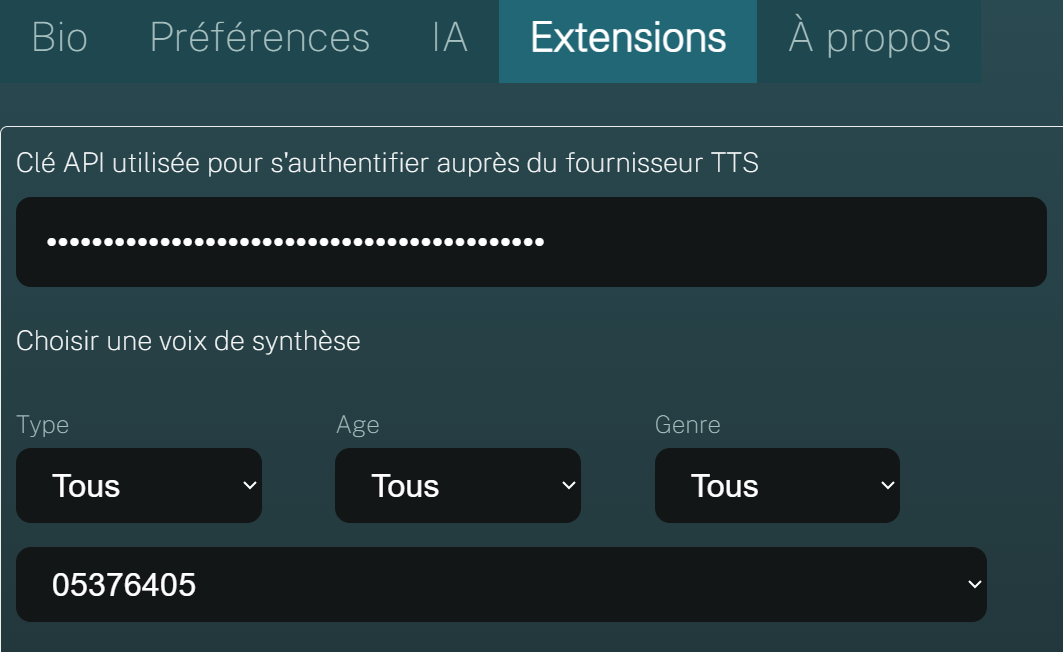
Once the API key is entered, the list of available voices will be filled in automatically.
Then, depending on your subscription, you will be able to choose a specific voice (your cloned voice, or another voice) and customize a few parameters such as pitch, speed, and volume:
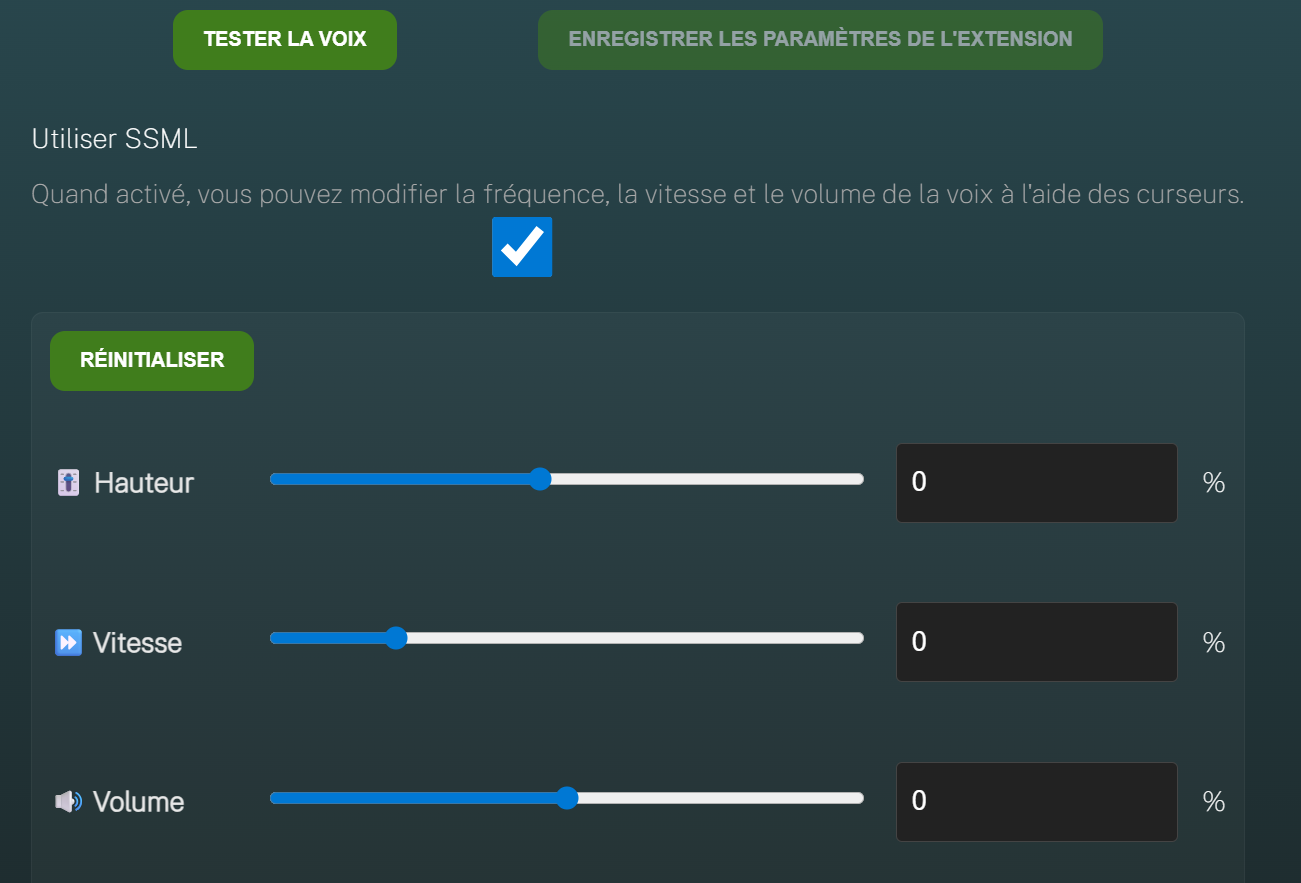
By clicking Test voice, you can verify that your adjustments are going in the right direction.