You can add to IGOOR's knowledge base documents containing significant information about your life.
IGOOR accepts the following formats:
- PDF (.pdf extension)
- Text (.txt extension)
- Markdown (.md extension)
Other formats may be added in future releases.
Document template
You can also write a document without going through the tool. You can base it on this template.
TIP: Use frequent repetitions of the subject in your texts to avoid attribution problems, for example:
Pierre is Jean-Marc's son-in-law. Jean-Marc's wife is named Julie. Julie and Jean-Marc live in Nancy.
To test that IGOOR properly takes your predictions into account, you can, for example, use the autocomplete. In the example above, by writing, for example,
Jean-Marc lives...
The predictions should in this case include something like:
in Nancy with Julie
Integrating new documents
In Settings > Home, click on Document management:
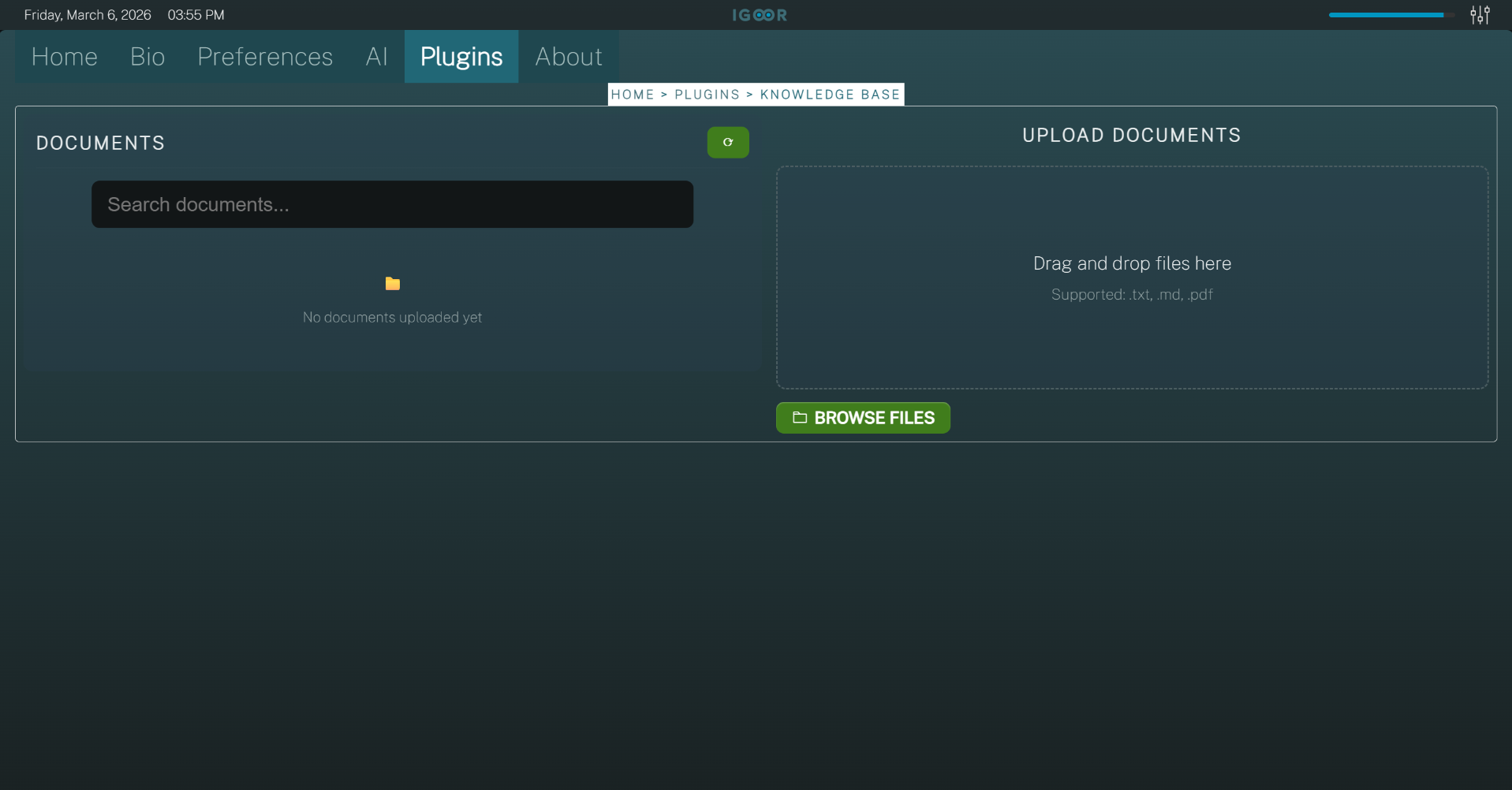
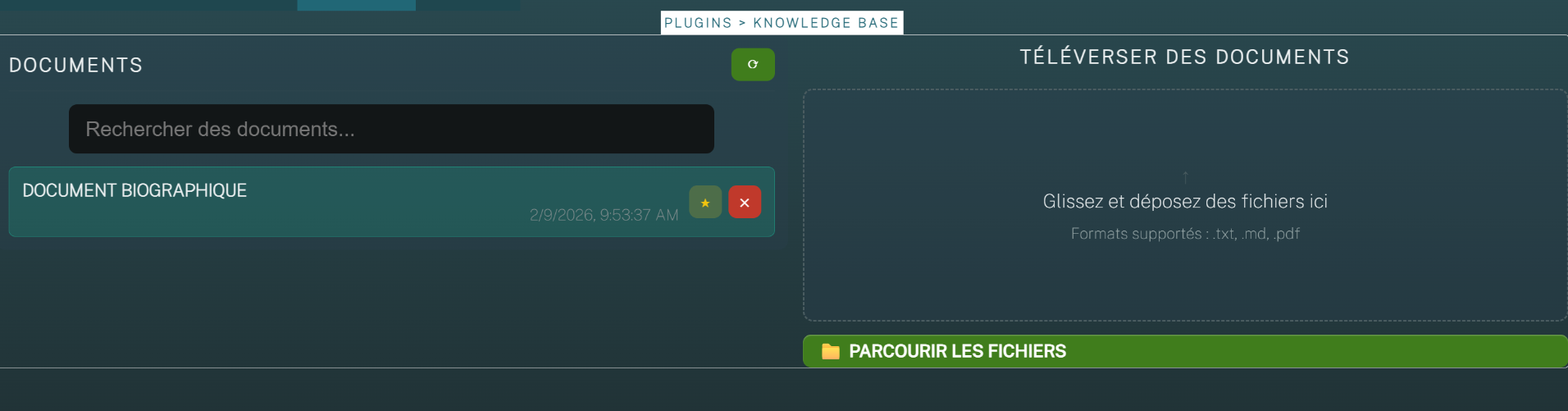
You will see a list of currently uploaded documents on the left; on the right, an area where you can drag / drop your documents for integration. You can drag / drop several documents at once. With the "BROWSE FILES" button, you can choose files from a Windows picker to integrate into the database.
As soon as you drop documents, the application starts the integration. The document integration time will increase based on the number of documents and their length.
Favorite documents
By clicking the "star" icon next to the red button, you can force IGOOR to systematically send the specific document, every time the AI is called. The advantage is that the information will certainly be inserted into the context; the disadvantage is that, as the number of documents increases, more tokens are consumed by the AI. Over a large number of calls per day, this can make a difference.
TIP: If your document contains essential information, add it to the favorites.
Deleting a document
By clicking on the red button, you can delete a document. IGOOR will ask you to confirm. The information contained in the document will no longer be accessible to IGOOR once the document is deleted.